ALT tag
Definition
HTML tag that provides alternative text when non-textual elements, typically images, cannot be displayed.
Information
ALT Tags are commonly omitted from web pages, from the smallest personal pages to the largest web corporate sites. Yet, if properly used, ALT Tags can be quite useful. Among other things, ALT tags can:
* provide further detail for an image or the destination of a hyperlinked image.
* enable and enhance access for people with various disabilities.
* provide much-needed information for people who surf the Web with graphics turned off, and people who surf the Web with text-only browsers.
* assist in navigation when a graphics-intensive site is being viewed over a slow connection, enabling site visitors to make navigation choices before graphics are fully rendered.
http://www.marketingterms.com/dictionary/alt_tag/
Showing posts with label Research. Show all posts
Showing posts with label Research. Show all posts
Tuesday, April 28, 2009

Monday, April 27, 2009
web design website examples
Continuing with the Accessibility vs Design Blog i thought id have a look at some of the accessibility websites to look at how they get the balance between design and accessibility.
After looking at a number of different examples of different accessibility websites and they seem to prove what i already thought that design and accessibility doesn't seem to mix.
All of the websites I have found seem to have the same simple design examples of which are shown below:
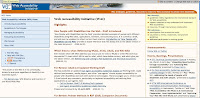
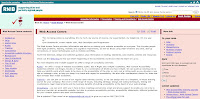
After looking at a number of different examples of different accessibility websites and they seem to prove what i already thought that design and accessibility doesn't seem to mix.
All of the websites I have found seem to have the same simple design examples of which are shown below:


Friday, February 06, 2009
Artifact 2
For my next artifact im going to change the colour of my website in order to make it more accessible, for this i will look at the different colour that effect people with sight difficulties and impairments. i will also look at good contrasts of colour for things such as background colour, text and links. i will then make a number of different examples of colour schemes then test them to see which one people find easiest to see and use, then i will evaluate the findings.
Wednesday, November 12, 2008
Research
quote "a quick Google search for web accessibility benefits6 returns over 37 million results!"
http://www.webcredible.co.uk/user-friendly-resources/web-accessibility/future.shtml
http://www.webcredible.co.uk/user-friendly-resources/web-accessibility/future.shtml
Subscribe to:
Posts (Atom)